Stop Alerting, Start Blocking: A Practical Guide to GitHub Advanced Security Gating
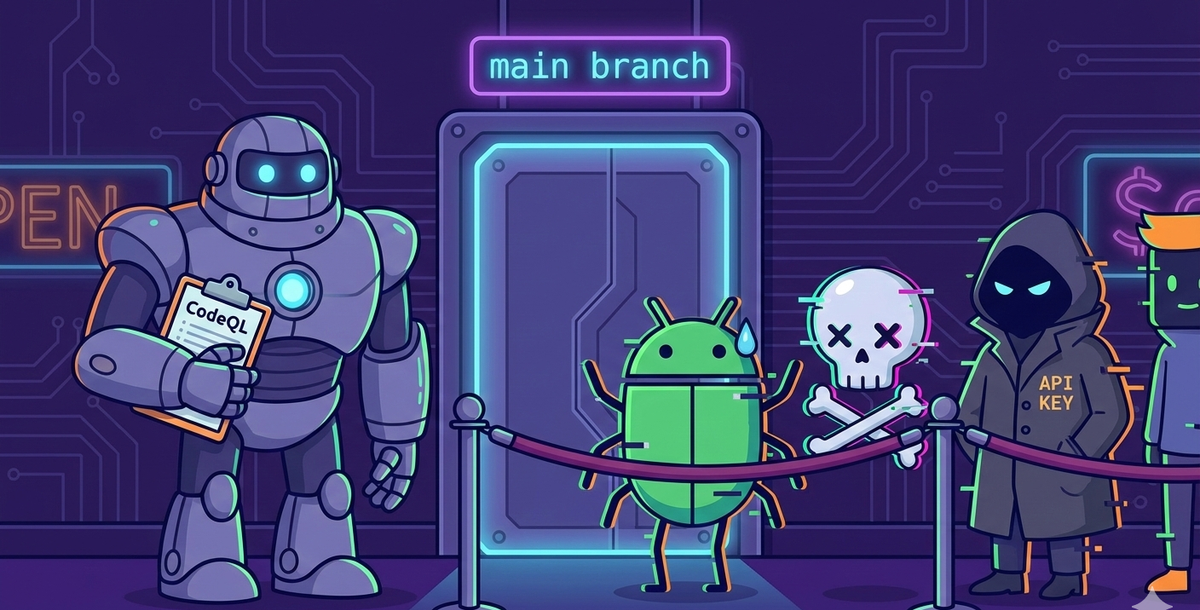
You're paying $49/committer/month for GitHub Advanced Security. CodeQL runs on every PR. Dependabot files upgrade PRs that sit open until the heat death of the universe. The Security tab has 200+ alerts dating back to 2023. Nobody looks at them. The code ships anyway. Congratulations — you've built the world's most expensive logging system.
I've audited a bunch of GitHub orgs that proudly claim they "have security scanning enabled." And technically, they do. CodeQL runs. Dependabot files PRs. Secret scanning is turned on. The Security tab is full of colorful badges.
But here's what actually happens: a developer pushes a SQL injection. CodeQL flags it. The finding appears in a tab nobody has bookmarked. The PR gets two approvals from people who reviewed the business logic but didn't check the Security tab. It merges. The vulnerability ships to production. Three months later, a pen tester finds it and everyone acts surprised.
That's not a security program. That's a compliance screenshot generator.
The problem isn't the tools — GHAS is genuinely good. The problem is that most teams enable the scanners without enabling the gates. Scanning without enforcement is just monitoring with extra steps. It's the equivalent of installing a fire alarm and then removing the batteries because the beeping was annoying.
I've spent the last few posts building DevSecOps pipelines with open-source tools — Gitleaks, Semgrep, Trivy, ZAP. If your team wants $0 licensing, that stack is hard to beat. But if your organization is already writing checks to GitHub for Enterprise or Team, you're sitting on security tooling you've already paid for and aren't using properly.
This post covers how to make GHAS actually block vulnerable code at the pull request — not just flag it in a tab nobody visits. We'll set up CodeQL, dependency review, and secret scanning as hard gates, deploy them across repos and orgs at scale, and make the merge button physically disappear when security issues are found.
What GHAS Gives You
GitHub Advanced Security has three capabilities that matter:
CodeQL (Code Scanning / SAST) — GitHub's semantic analysis engine. Unlike regex-based scanners, CodeQL traces data flow through your code. It follows a user input from request.args.get('username') through variable assignments, function calls, and transformations until it hits a dangerous sink like conn.execute(query). If the input was never sanitized, it flags it. SQL injection, XSS, command injection, path traversal, RCE — CodeQL catches the patterns that matter, not just string matches.
Dependency Scanning — Monitors your lockfiles (package-lock.json, requirements.txt, pom.xml, go.sum) against GitHub's Advisory Database — 200,000+ CVEs across every major ecosystem. Dependabot files PRs to fix them. The dependency review action goes further: it compares the dependencies in your PR branch against the base branch and blocks the merge if you're introducing a new vulnerability.
Secret Scanning with Push Protection — This is the one most people underestimate. With push protection enabled, if a developer tries to push a commit containing an AWS key, a GitHub token, or a Stripe secret, the push is rejected before it reaches the remote. The secret never enters git history. No rotation needed.
The Problem: Alert Fatigue Without Enforcement
Most GHAS deployments I've seen follow the same pattern. Someone enables code scanning. CodeQL runs on every PR. Findings appear in the Security tab. And then... nothing changes. The PR still merges. The vulnerability still ships.
This happens because enabling the scanner is only half the job. The other half is enabling the gate — the branch rule that says "if CodeQL found a HIGH or CRITICAL issue, this PR cannot merge."
Without gating, security scanning is monitoring. You're watching vulnerabilities enter your codebase in real time. With gating, security scanning is prevention. The vulnerability never enters.
How the Gate Works: Three Layers
Developer writes code
        │
        ▼
┌─────────────────────────────────────┐
│  Layer 1: Push Protection           │
│  ├── Secret scanning (pre-push)     │  ← Blocks before code reaches remote
│  ├── Partner patterns (200+)        │  ← AWS, Stripe, GitHub, Slack, etc.
│  ├── Custom patterns (org-defined)  │  ← Your internal tokens
│  └── Bypass: delegated approval     │  ← Controlled, audited exceptions
└─────────────┬───────────────────────┘
              │ Push allowed
              ▼
Developer opens PR
        │
        ▼
┌─────────────────────────────────────┐
│  Layer 2: PR Status Checks          │
│  ├── CodeQL Analysis (SAST)         │  ← Semantic code analysis
│  │   └── Whitelist: codeql-config   │  ← Exclude test dirs, dismiss alerts
│  └── Dependency Review (SCA)        │  ← Compares deps against base branch
│      └── Whitelist: allow-ghsas     │  ← Exempt specific CVEs with expiry
└─────────────┬───────────────────────┘
              │ Must pass
              ▼
┌─────────────────────────────────────┐
│  Layer 3: Code Scanning Rulesets    │
│  ├── Severity: HIGH + CRITICAL     │  ← Block on these
│  ├── Tools: CodeQL + dependency     │  ← Which scanners to enforce
│  └── Dismissed alerts: excluded     │  ← Surgical whitelisting per finding
└─────────────┬───────────────────────┘
              │ Must pass
              ▼
     ✅ Merge allowed
     or
     🚫 Merge blocked
Layer 1 — Push Protection — runs before code even reaches the remote. If a developer tries to push a commit containing a secret, the push is rejected. No PR is created. No workflow runs. The secret never enters git history. This is the most powerful gate because it's preventive, not detective.
Layer 2 — PR Status Checks — are the GitHub Actions workflows. CodeQL and dependency review run as status checks on every PR. They generate findings and upload them. Each check has its own whitelisting mechanism — CodeQL uses a config file to exclude paths and dismiss individual alerts, dependency review uses allow-ghsas to exempt specific CVEs.
Layer 3 — Code Scanning Rulesets — is where enforcement happens. GitHub evaluates the findings from Layer 2 and decides: does this PR introduce a HIGH or CRITICAL vulnerability? If yes, the merge button is disabled. Not "merge with warnings" — disabled. Dismissed alerts (from Layer 2's whitelisting) don't trigger the ruleset gate.
Setting Up the Workflows
CodeQL Analysis
CodeQL auto-detects the languages in your repository. You don't need to hardcode a language matrix — add a new Python service tomorrow, and CodeQL picks it up automatically.
yaml
# .github/workflows/codeql.yml
name: CodeQL Analysis

on:
  push:
    branches: [ main, develop ]
  pull_request:
    branches: [ main, develop ]
  schedule:
    - cron: '0 6 * * 1'  # Weekly scan for new patterns

jobs:
  analyze:
    name: Analyze
    runs-on: ubuntu-latest
    permissions:
      security-events: write
      contents: read

    strategy:
      fail-fast: false
      matrix:
        language: [ 'javascript', 'python' ]
        # CodeQL supports: javascript, python, ruby, java, csharp,
        # go, cpp, swift. Add what your repo uses.

    steps:
      - name: Checkout repository
        uses: actions/checkout@v4

      - name: Initialize CodeQL
        uses: github/codeql-action/init@v3
        with:
          languages: ${{ matrix.language }}
          queries: security-extended
          # security-extended adds more checks beyond the default set

      - name: Autobuild
        uses: github/codeql-action/autobuild@v3

      - name: Perform CodeQL Analysis
        uses: github/codeql-action/analyze@v3
        with:
          category: "/language:${{ matrix.language }}"
The security-extended query suite is important. The default suite catches the obvious stuff. The extended suite adds checks for less common but equally dangerous patterns — things like insecure deserialization, SSRF, and prototype pollution.
Dependency Review
This one is dead simple — and it's the most impactful for most codebases:
yaml
# .github/workflows/dependency-review.yml
name: Dependency Review

on:
  pull_request:
    branches: [ main, develop ]

permissions:
  contents: read

jobs:
  dependency-review:
    name: Dependency Review
    runs-on: ubuntu-latest
    steps:
      - name: Checkout repository
        uses: actions/checkout@v4

      - name: Dependency Review
        uses: actions/dependency-review-action@v4
        with:
          fail-on-severity: high
          deny-licenses: GPL-3.0, AGPL-3.0
          # Block HIGH+ CVEs and copyleft licenses
This compares the dependency tree in your PR against the base branch. If you're adding a package with a known HIGH or CRITICAL CVE, the check fails. It also catches license violations — accidentally introducing a GPL dependency into a proprietary codebase is a legal issue, not just a security one.
Enabling Push Protection for Secrets
This doesn't need a workflow — it's a repo setting.
Settings → Code security and analysis → Secret scanning → Push protection → Enable
Once enabled, any git push containing a recognized secret pattern (AWS keys, GitHub tokens, Slack webhooks, Stripe keys, database connection strings, and hundreds more) is rejected at the server. The developer sees an error explaining which secret was detected and in which file.
No workflow. No SARIF upload. No "check the Security tab." The push simply doesn't go through.
What the Developer Sees
When push protection blocks a push, the developer gets a clear message showing the secret type, the file, and the line. They have three options:
🚫 Push blocked — secret detected

Secret type: AWS Access Key ID
File: src/config.js, Line 12

Options:
  [ ] It's a false positive — the string isn't actually a secret
  [ ] It's used in tests — only appears in test code
  [ ] I'll fix it later — the secret is real, I'll rotate it

Select a reason to bypass, or remove the secret and push again.
If you're thinking "wait, anyone with write access can just click 'I'll fix it later' and push anyway?" — yes, by default they can. Which is why you need bypass controls.
Configuring Who Can Bypass
By default, anyone with write access can bypass push protection by selecting a reason. That's fine for a small team. For anything bigger, lock it down.
Repo level: Settings → Code security and analysis → Push protection → Bypass privileges → select "Specific actors" → choose which roles or teams can bypass.
Org level: Organization Settings → Code security and analysis → Secret scanning → Push protection → enable for all repos, with the option to "Automatically enable for repositories added to secret scanning."
When you restrict bypass to specific actors, everyone else cannot push the secret — period. No bypass reason selection, no override. They either remove the secret or they don't push.
Delegated Bypass: The Approval Workflow
This is the enterprise play. Instead of letting authorized users bypass immediately, you can route bypass requests through an approval workflow.
When delegated bypass is enabled:
- Developer's push is blocked
- Developer submits a bypass request with a reason
- A designated reviewer (security lead, team lead) gets notified
- Reviewer has 7 days to approve or deny the request
- If approved — the developer can push the commit containing the secret
- If denied — the developer must remove the secret
- If nobody responds — the request expires automatically
Enable it at: Settings → Code security and analysis → Push protection → Bypass privileges → Specific actors (the actors you select become the bypass reviewers).
This gives you the best of both worlds: developers aren't permanently blocked on false positives, but every bypass goes through a human review with a documented reason. Every approval, denial, and expiry is logged.
Availability note: Delegated bypass requires GitHub Enterprise Cloud or Enterprise Server 3.14+.
Custom Patterns
GitHub's built-in patterns cover the major providers (AWS, Stripe, GitHub, Slack, etc.). But your org probably has internal tokens, API keys, or connection strings that follow patterns GitHub doesn't know about.
Organization level: Organization Settings → Code security and analysis → Global settings → Custom patterns → New pattern
You define a regex for the secret format, give it a name, and publish it. Once published, you can enable push protection for that custom pattern — meaning pushes containing your internal tokens are blocked the same way AWS keys are.
Limits: 500 custom patterns per org, 100 per repo. Push protection for custom patterns requires that push protection is already enabled on the target repos (it doesn't auto-enable).
Audit Trail
Every bypass — whether immediate or delegated — is tracked:
- Security tab → Secret scanning: Each bypassed secret appears as an alert with the bypass reason, who bypassed, and when
- Organization → Audit log: Searchable log of all bypass events across repos
- Email alerts: Org owners, security managers, and repo admins get notified on every bypass
This is the part that matters for compliance. You can tell an auditor: "Here are all the secrets that were detected, here are the ones that were bypassed, here's who approved each one, and here's the documented reason."
The Enforcement Layer: Code Scanning Rulesets
Here's where most GHAS deployments stop short. The workflows are running, findings are appearing in the Security tab, but nothing is actually blocking merges. You need a code scanning ruleset.
Go to Settings → Rules → Rulesets → New ruleset → New branch ruleset:
- Ruleset name:
Security Gate - Enforcement status: Start with
Evaluateto test without blocking, then switch toActivewhen you're confident - Target branches: Add
mainanddevelop - Branch rules — enable:
- Require status checks to pass — add
Analyze(CodeQL) andDependency Reviewas required checks - Require a pull request before merging — set minimum approvals to 1
- Block force pushes
- Require status checks to pass — add
- Code scanning rules — this is the critical part:
- Security alerts: Block pull requests that introduce security alerts with severity
HighorCritical - Tools: Select
CodeQLand any other scanning tools you use
- Security alerts: Block pull requests that introduce security alerts with severity
Click Create. That's your gate.
Now when a developer opens a PR that introduces a SQL injection, the merge button shows: "Merging is blocked — security issues detected." No override. No "merge anyway." The code has to be fixed first.
Why Rulesets instead of the old Branch Protection Rules? GitHub's newer Rulesets system (Settings → Rules) replaces the older Branch Protection Rules (Settings → Branches). Rulesets support multiple rules on the same branch, evaluate mode for safe testing, code scanning alert blocking, and organization-wide policies. If you're setting this up fresh, use Rulesets. If you have existing branch protection rules, they'll continue to work alongside rulesets — but plan to migrate.
What Getting Blocked Looks Like
Here's a real example. A developer writes a Flask endpoint:
python
@app.route('/user')
def get_user():
    username = request.args.get('username')
    query = "SELECT * FROM users WHERE username = '" + username + "'"
    return conn.execute(query).fetchone()
They push it. CodeQL runs. The PR shows:
❌ CodeQL / Analyze (python)
   CWE-89: SQL Injection (HIGH)
   File: src/app.py, Line 4
   Fix: Use parameterized queries

🚫 Merge blocked by code scanning ruleset
The developer fixes it:
python
@app.route('/user')
def get_user():
    username = request.args.get('username')
    cursor = conn.cursor()
    cursor.execute(
        "SELECT * FROM users WHERE username = ?",
        (username,)
    )
    return cursor.fetchone()
CodeQL re-runs. Passes. PR merges. Total time added: maybe 5 minutes.
Managing False Positives
Every scanner produces false positives. The wrong response is to disable gating. The right response is surgical exceptions.
CodeQL Configuration
Create a .github/codeql/codeql-config.yml to exclude test files and known safe patterns:
yaml
# .github/codeql/codeql-config.yml
name: "Custom CodeQL Config"
paths-ignore:
  - '**/test/**'
  - '**/tests/**'
  - '**/*_test.py'
  - '**/*.test.js'
  - '**/fixtures/**'
  - '**/testdata/**'
queries:
  - uses: security-extended
Then reference it in your workflow:
yaml
- name: Initialize CodeQL
  uses: github/codeql-action/init@v3
  with:
    languages: ${{ matrix.language }}
    config-file: .github/codeql/codeql-config.yml
Dismissing Specific Alerts
For individual false positives that survive the config, you can dismiss alerts in the Security tab with a reason ("used in tests", "false positive", "won't fix"). Dismissed alerts don't trigger the ruleset gate.
Have a process for this. Developer opens an issue, describes why it's a false positive, security lead reviews within 48 hours, and either dismisses or asks for a fix. Document every exception.
Dependency Exceptions
For CVEs that can't be patched immediately (the upstream maintainer hasn't released a fix), use the dependency review action's allow list:
yaml
- name: Dependency Review
  uses: actions/dependency-review-action@v4
  with:
    fail-on-severity: high
    allow-ghsas: GHSA-xxxx-xxxx-xxxx
    # Documented: No fix available, mitigated by WAF rule.
    # Review by: 2026-06-30
Always set a review date. Exceptions without expiry dates become permanent.
Deploying at Scale: Three Approaches
Everything above works for a single repo. But if you're running 50+ repositories across multiple GitHub organizations — which is where most enterprises land — you need a deployment strategy. Copy-pasting the same workflow YAML into every repo doesn't scale. Here are three approaches, from simplest to most controlled.
Quick tier check before you plan: Repo-level rulesets and workflows work on GitHub Team. Org-level security configurations work on GitHub Team. But org-level rulesets (required workflows across repos), delegated bypass for push protection, and enterprise-wide policies require GitHub Enterprise Cloud. Know your tier before you pick an approach.
Approach 1: Repository-Level (Start Here)
Each repo has its own .github/workflows/codeql.yml and .github/workflows/dependency-review.yml. Each repo has its own ruleset configured through Settings → Rules.
Org A                          Org B
├── repo-1/                    ├── repo-5/
│   ├── .github/workflows/     │   ├── .github/workflows/
│   │   ├── codeql.yml         │   │   ├── codeql.yml
│   │   └── dep-review.yml     │   │   └── dep-review.yml
│   └── Ruleset: active        │   └── Ruleset: active
├── repo-2/ (same)             ├── repo-6/ (same)
When to use it: You have fewer than 20 repos, or you're piloting before scaling. Quick to set up, easy to understand.
The problem: When you need to update a workflow — say, upgrading codeql-action from v3 to v4 — you're making the same PR in every repo. At 50+ repos, that's a full day of busywork. Configuration drift is guaranteed: some repos end up on security-extended, others on default, and nobody remembers why.
Approach 2: Organization-Level Security Configurations
GitHub lets you create security configurations at the organization level — a preset bundle of security settings (code scanning, secret scanning, dependency scanning) that you apply to all repos in the org, or specific ones.
Go to Organization Settings → Code security → Configurations:
- Start with the GitHub-recommended configuration — it enables CodeQL, Dependabot alerts, secret scanning, and push protection with sensible defaults
- Or create a Custom configuration — pick exactly which features to enable, set severity thresholds, and choose whether repo admins can override your settings
- Apply it to: all repos, all repos without an existing config, or specific repos you select
You can also enforce via policy: Enterprise Settings → Policies → Code security lets you control whether repo admins can enable/disable GHAS features, or lock them to your org-level settings.
Enterprise
├── Policy: Repo admins cannot disable code scanning
│
├── Org A (Security Config: "Standard")
│   ├── repo-1  ← config auto-applied
│   ├── repo-2  ← config auto-applied
│   └── repo-3  ← config auto-applied
│
├── Org B (Security Config: "Strict" - custom)
│   ├── repo-4  ← stricter rules
│   └── repo-5  ← stricter rules
│
└── Org C (Security Config: "Standard" + overrides)
    ├── repo-6  ← standard
    └── repo-7  ← custom override (legacy app, different needs)
When to use it: You have multiple organizations with different security requirements. Your payments org needs stricter scanning than your internal tools org. You want centralized control but per-org flexibility.
The advantage over repo-level: Enable GHAS features across 100 repos in one click. New repos automatically inherit the org's security configuration. No workflow files to copy.
The limitation: Security configurations handle feature enablement (code scanning on/off, secret scanning on/off). They don't control the workflow logic — what CodeQL queries run, what dependency review rules apply, or custom scan steps. For that, you need approach 3.
Approach 3: Centralized Reusable Workflows
This is the enterprise play. You create a single shared repository containing your security workflows, and every other repo calls them via GitHub's uses directive.
Before we dive in — a clarification on what belongs here and what doesn't:
What needs a workflow (and belongs in the central repo):
- CodeQL analysis — runs as a GitHub Actions job
- Dependency review — runs as a GitHub Actions job
What does NOT need a workflow:
- Secret scanning and push protection — these are platform features, not workflows. You enable them via Settings → Code security or through org-level security configurations (Approach 2). There's no
secret-scan.ymlto write. GitHub runs secret scanning automatically as a background service. Push protection intercepts at thegit pushlevel, before any workflow triggers.
If you see blog posts or templates with a secret-scan-reusable.yml in the central repo — that's wrong. Secret scanning doesn't work that way.
Reusable CodeQL Workflow
The shared repo (e.g., your-org/security-workflows):
yaml
# security-workflows/.github/workflows/codeql-reusable.yml
name: CodeQL Analysis (Reusable)

on:
  workflow_call:
    inputs:
      languages:
        description: 'Languages to scan (JSON array)'
        required: false
        type: string
        default: ''
      query-suite:
        description: 'CodeQL query suite'
        required: false
        type: string
        default: 'security-extended'

jobs:
  analyze:
    name: Analyze
    runs-on: ubuntu-latest
    permissions:
      security-events: write
      contents: read
    strategy:
      fail-fast: false
      matrix:
        language: ${{ fromJson(inputs.languages || '["javascript","python"]') }}
    steps:
      - uses: actions/checkout@v4
      - uses: github/codeql-action/init@v3
        with:
          languages: ${{ matrix.language }}
          queries: ${{ inputs.query-suite }}
      - uses: github/codeql-action/autobuild@v3
      - uses: github/codeql-action/analyze@v3
        with:
          category: "/language:${{ matrix.language }}"
Reusable Dependency Review Workflow
This is the one most centralized setups miss. The dependency review action compares the dependency tree in your PR against the base branch and blocks new CVEs. It works in a reusable workflow, but there's a gotcha: the github.event.pull_request context isn't automatically passed through workflow_call. You need to handle this explicitly.
yaml
# security-workflows/.github/workflows/dep-review-reusable.yml
name: Dependency Review (Reusable)

on:
  workflow_call:
    inputs:
      fail-on-severity:
        description: 'Minimum severity to fail on'
        required: false
        type: string
        default: 'high'
      deny-licenses:
        description: 'Comma-separated list of denied licenses'
        required: false
        type: string
        default: 'GPL-3.0, AGPL-3.0'
      allow-ghsas:
        description: 'Comma-separated list of allowed GHSAs (whitelisted CVEs)'
        required: false
        type: string
        default: ''

jobs:
  review:
    name: Dependency Review
    runs-on: ubuntu-latest
    permissions:
      contents: read
    steps:
      - uses: actions/checkout@v4
      - uses: actions/dependency-review-action@v4
        with:
          fail-on-severity: ${{ inputs.fail-on-severity }}
          deny-licenses: ${{ inputs.deny-licenses }}
          allow-ghsas: ${{ inputs.allow-ghsas }}
The important constraint: The dependency review action only works reliably on pull_request and pull_request_target events — it compares the PR's head branch against the base branch. Your caller workflow MUST trigger on pull_request for this to work. If you trigger on push, the action has no base-vs-head comparison to make and will fail.
The Caller Workflow (Per Repo)
Each consuming repo has a single workflow file that calls both reusable workflows:
yaml
# any-repo/.github/workflows/security.yml
name: Security Checks

on:
  push:
    branches: [ main ]
  pull_request:
    branches: [ main ]

# CRITICAL: The caller MUST declare all permissions needed by reusable workflows.
# Reusable workflows can only DOWNGRADE permissions, never elevate them.
permissions:
  security-events: write   # Required for CodeQL SARIF upload
  contents: read            # Required for both checks

jobs:
  codeql:
    uses: your-org/security-workflows/.github/workflows/codeql-reusable.yml@main
    with:
      languages: '["python","javascript"]'
      query-suite: 'security-extended'

  dependency-review:
    if: github.event_name == 'pull_request'  # Only runs on PRs
    uses: your-org/security-workflows/.github/workflows/dep-review-reusable.yml@main
    with:
      fail-on-severity: 'high'
      deny-licenses: 'GPL-3.0, AGPL-3.0'
Note the if: github.event_name == 'pull_request' on the dependency review job. Without it, the job would fail on push events because there's no PR context to compare against. CodeQL runs on both push and PR; dependency review only runs on PRs.
The permissions block at the top of the caller is critical. Reusable workflows cannot elevate permissions beyond what the caller declares. If your caller doesn't declare security-events: write, the reusable CodeQL workflow's SARIF upload will fail silently.
security-workflows/ (shared repo)
├── .github/workflows/
│   ├── codeql-reusable.yml        ← SAST: CodeQL analysis
│   └── dep-review-reusable.yml    ← SCA: dependency CVE + license check
│
│   (No secret-scan workflow — that's a platform feature, not a workflow)
│
├── repo-1/.github/workflows/
│   └── security.yml  → calls both reusable workflows (~15 lines)
├── repo-2/.github/workflows/
│   └── security.yml  → calls both reusable workflows (~15 lines)
├── repo-N/.github/workflows/
│   └── security.yml  → calls both reusable workflows (~15 lines)
When to use it: You have 50+ repos and need consistent scanning across all of them. When you upgrade CodeQL or change a query suite, you make one PR — not 200.
Requirements: The shared workflow repo must be in the same organization, or public, or you need GitHub Enterprise Cloud with cross-org workflow sharing enabled.
The tradeoff: More complex initial setup. Someone needs to maintain the shared repo. But the payoff is massive: instead of 200 PRs every time something changes, it's 1 PR. No configuration drift. No "repo-47 is still on codeql-action v2 because nobody updated it."
What the central repo does NOT handle: Secret scanning and push protection. Those are managed through org-level security configurations (Approach 2) or enterprise policies. You don't write workflows for them — you enable them as platform features and configure bypass policies. The three approaches work together: Approach 2 handles feature enablement (scanning on, push protection on), Approach 3 handles workflow logic (what CodeQL queries run, what dependency rules apply).
Which One Should You Pick?
| Situation | Approach |
|---|---|
| Piloting on 1-5 repos | Repository-level — keep it simple |
| 10+ repos, single org | Org-level security config + repo-level workflows |
| Multiple orgs, uniform policy | Org-level configs with enterprise policy enforcement |
| 50+ repos, need consistency | Centralized reusable workflows + org-level configs |
| Enterprise with compliance needs | All three — enterprise policy → org configs → centralized workflows |
Most teams should start with org-level security configurations (approach 2) and add centralized workflows (approach 3) when they hit 30-50 repos. Repository-level is fine for getting started, but it doesn't survive the first reorganization.
Gotchas That Will Bite You
A few things that aren't obvious from the documentation:
Default Setup blocks SARIF uploads. If a repo is using CodeQL's Default Setup (the one-click auto-config), you cannot upload SARIF results from custom workflows. GitHub rejects the upload with: "Upload was rejected because CodeQL default setup is enabled." If you're going with centralized reusable workflows (Approach 3), you must disable Default Setup on each repo and use Advanced Setup instead. You can't have both.
Org-level configs can be enforced. When creating a security configuration at org level, you can toggle "Enforce configuration" — this prevents repo admins from changing feature settings through the UI or API. Useful when you don't trust 200 repo owners to keep scanning enabled. But note: you cannot enforce Default Setup on repos already using Advanced Setup.
Required workflows via rulesets are Enterprise Cloud only. Organization-level rulesets that require workflows to pass before merging are a GitHub Enterprise Cloud feature. If you're on GitHub Team, you can still use repo-level rulesets but not org-level ones. Plan accordingly.
Cross-org workflow sharing has limits. Reusable workflows in Approach 3 must be in the same organization, or in a public repo, or you need Enterprise Cloud with internal repo visibility. Private workflows in org A can't be called by repos in org B.
Dependency review only works on PR events. The dependency-review-action compares your PR's dependency tree against the base branch. If your caller workflow triggers on push or schedule, the action has no base-vs-head to compare and will fail. Always gate dependency review with if: github.event_name == 'pull_request' in the caller.
Caller permissions are the ceiling. Reusable workflows can only downgrade permissions, never elevate them. If your caller doesn't declare security-events: write, the reusable CodeQL workflow's SARIF upload will fail silently — no error, just no results in the Security tab. Every caller must explicitly declare all permissions needed by every reusable workflow it calls.
Secret scanning is NOT a workflow. Don't put a secret-scan-reusable.yml in your centralized repo — it doesn't work that way. Secret scanning and push protection are platform features enabled through org-level security configurations (Approach 2) or enterprise policies. There's no Actions workflow to write for them.
Enterprise policies path: Enterprise Settings → Code Security and Analysis → Policies — this is where enterprise admins can mandate that repo admins cannot disable code scanning, secret scanning, or push protection across all orgs.
Rolling This Out Without Breaking Everything
Don't flip every gate to "block" on day one. That's how you get a revolt and someone disabling the whole thing by Friday.
Week 1: Enable scanning, no blocking. Turn on CodeQL and dependency review workflows. Set the ruleset to Evaluate mode. Gather data on what gets flagged. Share the findings with the team — make it educational, not punitive.
Week 2: Block CRITICAL only. Switch the ruleset to Active but only gate on CRITICAL severity. This catches the worst offenders (RCE, SQL injection with direct user input) without flooding developers with noise.
Week 3: Block HIGH + CRITICAL. Once the team is comfortable and the false positive rate is managed, add HIGH severity to the gate. This is where most teams should land permanently.
Week 4: Enable push protection. Turn on secret scanning push protection. Start with bypass open to all users with write access so developers can self-serve on false positives. This has near-zero false positives and saves you from the most embarrassing security incidents.
Week 5: Tighten push protection bypass. Now that the team knows what push protection looks like, restrict bypass to specific roles or teams. If you're on Enterprise Cloud, enable delegated bypass so every exception goes through an approval workflow. Add custom patterns for any internal tokens your org uses.
The Cost Question
Let's address this directly. GHAS was unbundled in April 2025 into two standalone products:
| Product | What You Get | Cost |
|---|---|---|
| GitHub Secret Protection | Secret scanning, push protection, AI-powered detection | $19/committer/month |
| GitHub Code Security | CodeQL, Copilot Autofix, dependency review, security campaigns | $30/committer/month |
| Both | Everything | $49/committer/month |
The good news: you no longer need GitHub Enterprise to buy these. GitHub Team customers can now purchase either product separately. If your biggest concern is leaked secrets, $19/committer for push protection alone might be worth it — it's the one feature that's hardest to replicate with open-source tools.
For a 10-person team buying both: $5,880/year. For 50 developers: $29,400/year.
Is it worth it? Depends on your situation:
Use GHAS if you're already on GitHub Enterprise or Team, you need compliance-grade audit trails, your org has 20+ developers and wants centralized policy management across repos, or you want CodeQL's semantic analysis (which is genuinely deeper than Semgrep for certain vulnerability classes like taint tracking across function boundaries).
Stick with open-source tools if you're on GitHub Free, your team is under 15 people, you want per-tool flexibility, or $0 licensing is a hard requirement. The DevSecOps pipeline I built with Gitleaks + Semgrep + Trivy + ZAP covers the same ground for free.
Mix and match: Buy Secret Protection ($19) for push protection — which has no good free equivalent — and use open-source tools for SAST and SCA. That gives you the best of both worlds at minimal cost.
Both approaches enforce. Both block bad code. The difference is integration depth and management overhead, not security coverage.
How This Connects to the Ecosystem
GHAS handles the CI/CD gate — it's the prevention layer. But security doesn't end when code merges:
┌──────────────────────────────────────┐
│  GHAS / DevSecOps Pipeline           │
│  Prevents vulns before merge         │
└──────────────────┬───────────────────┘
                   │
         code ships to production
                   │
                   ▼
┌──────────────────────────────────────┐
│  Prowler                             │
│  Audits cloud config post-deploy     │──── detects issues ────┐
└──────────────────────────────────────┘                        │
                                                                ▼
┌──────────────────────────────────────┐   ┌───────────────────────────────┐
│  IAM Least Privilege Toolkit         │   │  Security Notification System │
│  Right-sizes IAM permissions         │   │  Slack alerts in real time    │
└──────────────────────────────────────┘   └───────────────────────────────┘
Pipeline prevents → Prowler detects → Notifications alert → Toolkit remediates.
Whether you use GHAS or the open-source stack, the pipeline is just one layer. The full security lifecycle needs detection and response too.
What's Next
This post covered GHAS as a security gate. In the series, I also cover:
- Building a DevSecOps Pipeline from Scratch — the open-source alternative with Gitleaks, Semgrep, Trivy, and ZAP
- Hardening Your Pipeline: Gates, Whitelisting, and Custom Rules — configurable block/warn modes and exception management
- Automated AWS Security Auditing with Prowler — the post-deployment detection layer
Pick the stack that fits your budget and team size. The important thing is that something is blocking bad code before it hits production.
Resources:
- GitHub Advanced Security Documentation
- CodeQL Documentation
- CodeQL Action
- Dependency Review Action
- GitHub Rulesets Documentation
- DevSecOps Pipeline (open-source alternative)
- AWS Security Notification System
- IAM Least Privilege Toolkit
Originally published on Chaos to Control — DevSecOps blueprints for teams that ship fast and sleep well.